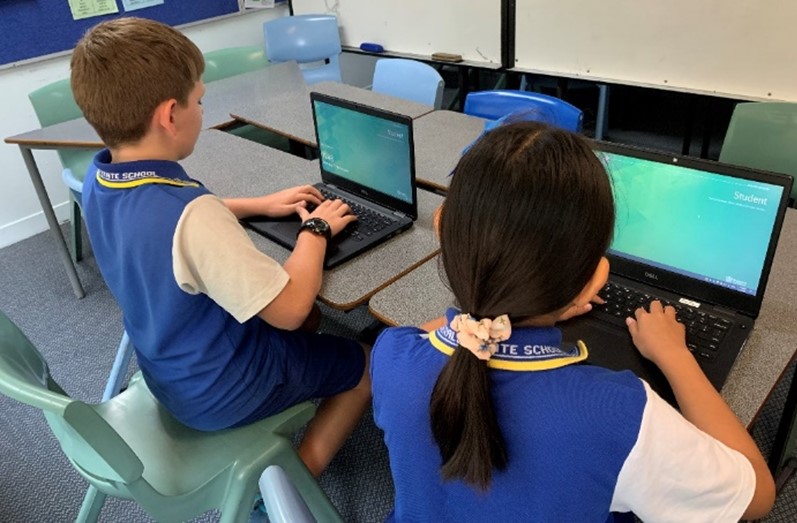
 At Fitzgerald State School, we are committed to providing students with the tools and skills needed to thrive in a rapidly changing, technology-driven world. Our Bring Your Own Device (BYOD) Program supports meaningful, future-focused learning through the responsible use of digital technology.
About the BYOD Program
The Fitzgerald State School BYOD Program enables students to develop the digital capabilities, independence, and responsibility required in today's learning environment. By integrating technology into everyday classroom activities, students build confidence and skills that prepare them for future studies and careers.
At Fitzgerald, BYOD (Bring Your Own Device) refers to students using a personally owned Windows laptop to access the school's network and digital learning tools. This approach supports flexible, connected learning both at school and at home.
Program Requirements
- Windows laptops are the required devices, ensuring full compatibility with the Queensland Digital Curriculum, educational applications, and the school's network infrastructure.
- To participate fully in the program, laptops must meet the required device specifications. A complete list of BYOD Laptop Specifications is available via the link below.
- MacOS, Android, Chromebook, and iOS devices are not supported.
- Mobile phones and other personal digital devices are not included in the BYOD Program. Fitzgerald State School supports the Queensland Government policy that student mobile phones are to be switched off and away for the day.
In 2026, all Year 5 and Year 6 students will participate in the BYOD Laptop Program.
Program Aims
- Provide consistent and reliable access to digital learning resources.
- Enhance teaching and learning outcomes through purposeful technology use.
- Develop responsible digital citizens who are well prepared for secondary education and beyond.
Through the BYOD Program, Fitzgerald State School continues to build a learning environment that reflects the needs of modern education—empowering students to connect, create, and achieve their personal best.
Helpful links:
 BYOD 2026 - Parent BYOD Introduction & Laptop Specification.pdf
BYOD 2026 - Laptop Specifications.pdf
Online Awareness Information for parents and caregivers.pdf
WEB LINK: Cyber Safety - Making Positive Choices
A BYOD Pre-Setup Guide will be shared week 8 term 4 2025.
All BYOD Intune enrolment instructions, student accounts and passwords will be assigned at the start of term 1, 2026.